
While developing a Java application, you may come across a scenario where you have a large number of files in a folder which don’t have required naming standards or conventions that you are in need of. In such a situation, you will wish to have a piece of code that can rename all the files in the folder in bulk.
In this post, I am going to write a Java program that will rename all the files in a folder based on the given criteria.
For this example scenario; I have a folder D:\files\ which contain a few files having underscore (_) in the names. My requirement is to have all file names without any underscores and having period (.) instead.
Folder contents as of now are shown below:
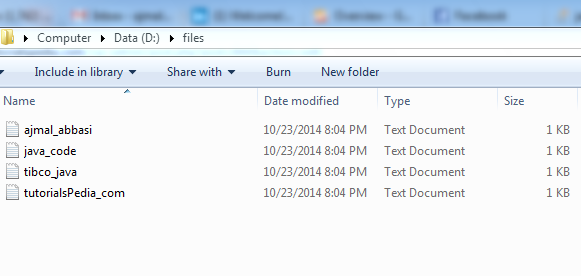
Below is the Java Code that I have written for renaming all the files in this folder by replacing _ with .
package bulkrenamer;
import java.io.File;
/**
 *
 * @author Ajmal Hussain
 */
public class BulkRenamer {
    public String renameBulk (String folderName, String ReplaceFrom, String ReplaceWith)
    {
        try
        {
        // This method will rename all files in a folder by chaning ReplaceFrom string with ReplaceWith string
        File folder=new File(folderName);
        File[] filesList=folder.listFiles();
        for (int i=0; i< filesList.length; i++)
        {
            String newName= (filesList[i].toString().replaceAll(ReplaceFrom, ReplaceWith));

            filesList[i].renameTo(new File(newName));


        }
        return "Successfully renamed "+filesList.length+" files.";
        }
        catch (Exception e)
        {
            return (e.getMessage());

        }

    }


    public static void main(String[] args) {
        BulkRenamer rn=new BulkRenamer();
      String result=  rn.renameBulk("D:\\files\\", "_", ".");
      System.out.println(result);


    }
}
The above Java Class has one public method that is taking a folder name and two other strings as input. It uses second string as a search criteria and replaces it with the third string (in this case second string is _ and third string is .).
After executing the above code in Netbeans IDE, I got below result stating that all the four files in the given directory have been renamed successfully:
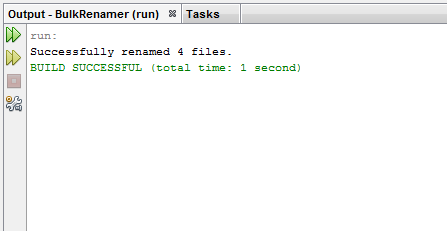
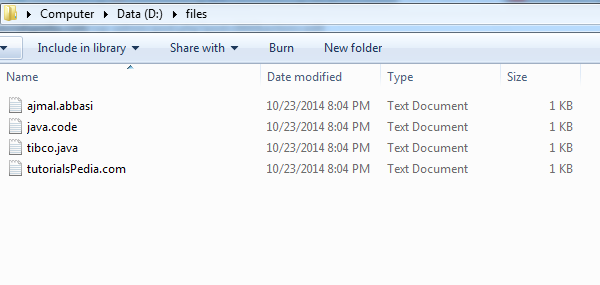
Now, If we go to the folder (D:\files\), we can see that all the four files have been renamed by replacing _ with . as shown in below screenshot:

How to process 5GB xml file in Tibco BW and update in to database.
plz explain by using java code and with out java code also.
Thanks,
Reddy